
Sign up for an account
Sign up for an account at https://app.getplum.aiDatasets
To get started, Plum AI needs to start ingesting a dataset of inputs to your LLM and outputs from your LLM. This dataset is used to evaluate your application, which will drive the improvements you’ll make. There are multiple ways to upload data to Plum:- Upload a file containing the data
- Use the Python SDK:
pip install plum-sdk - Use our API. See the API reference here.
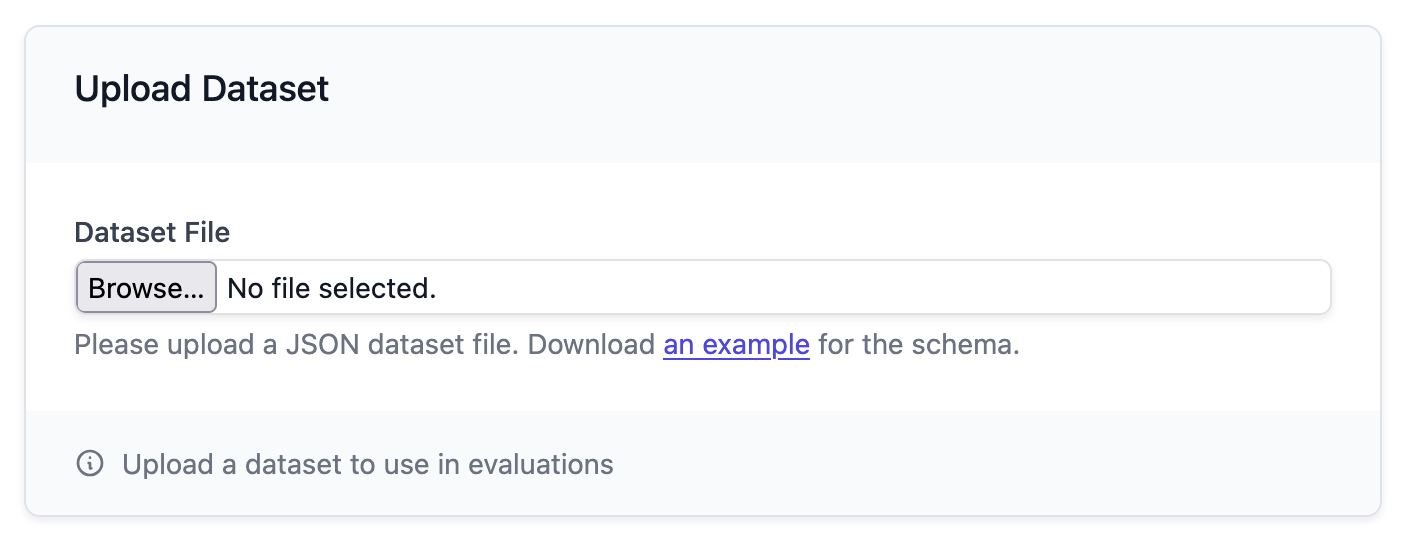
Evaluation workflow
Generate evaluation metrics
Based on the uploaded data and system prompt, Plum AI can get you started quantitatively evaluating your outputs. To get started, click on “Generate Evaluation Metrics” for a set of metrics tailored for your specific use case.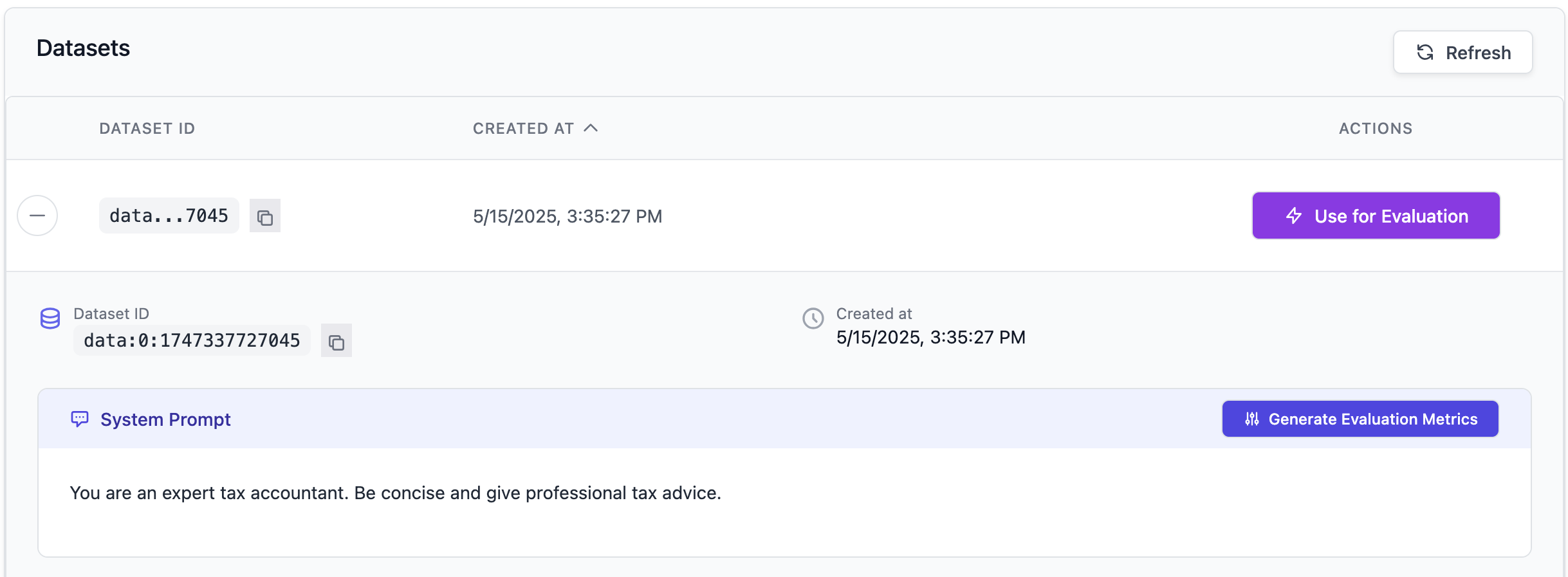
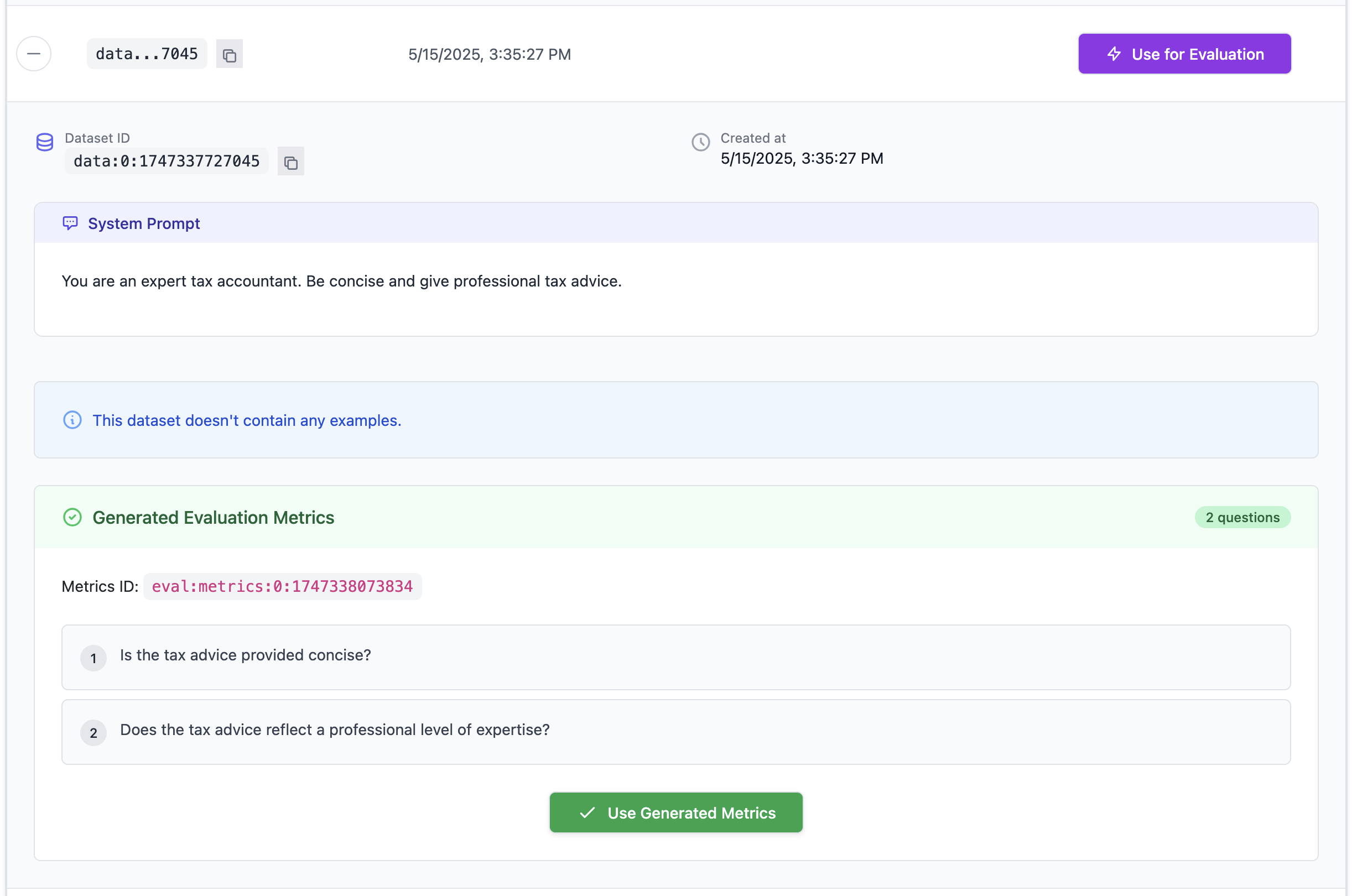
Use generated metrics
Next, you can run an evaluation on your dataset using these metrics. This will give you a quantitative understanding of how well your LLM is performing based on the data provided.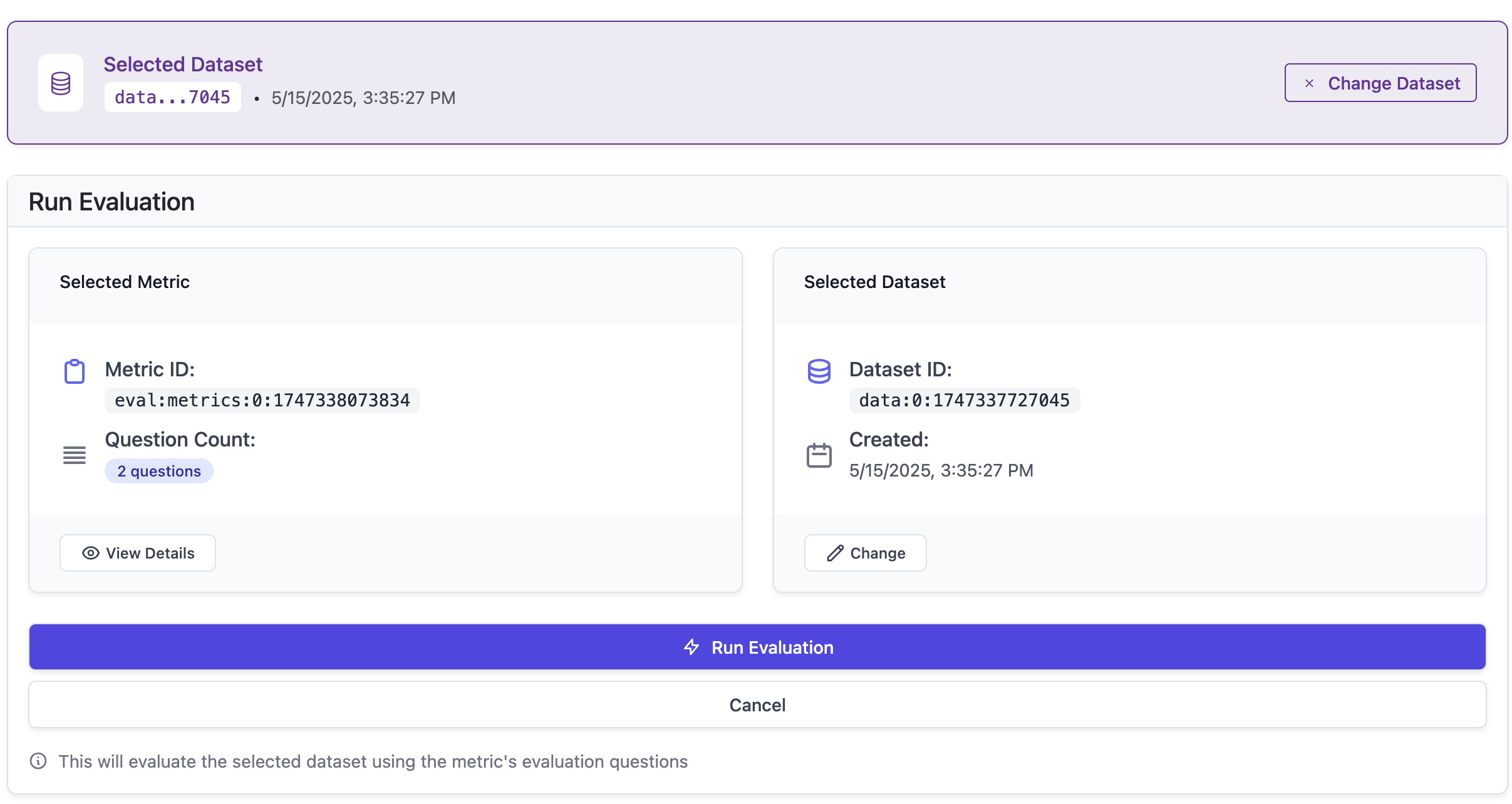
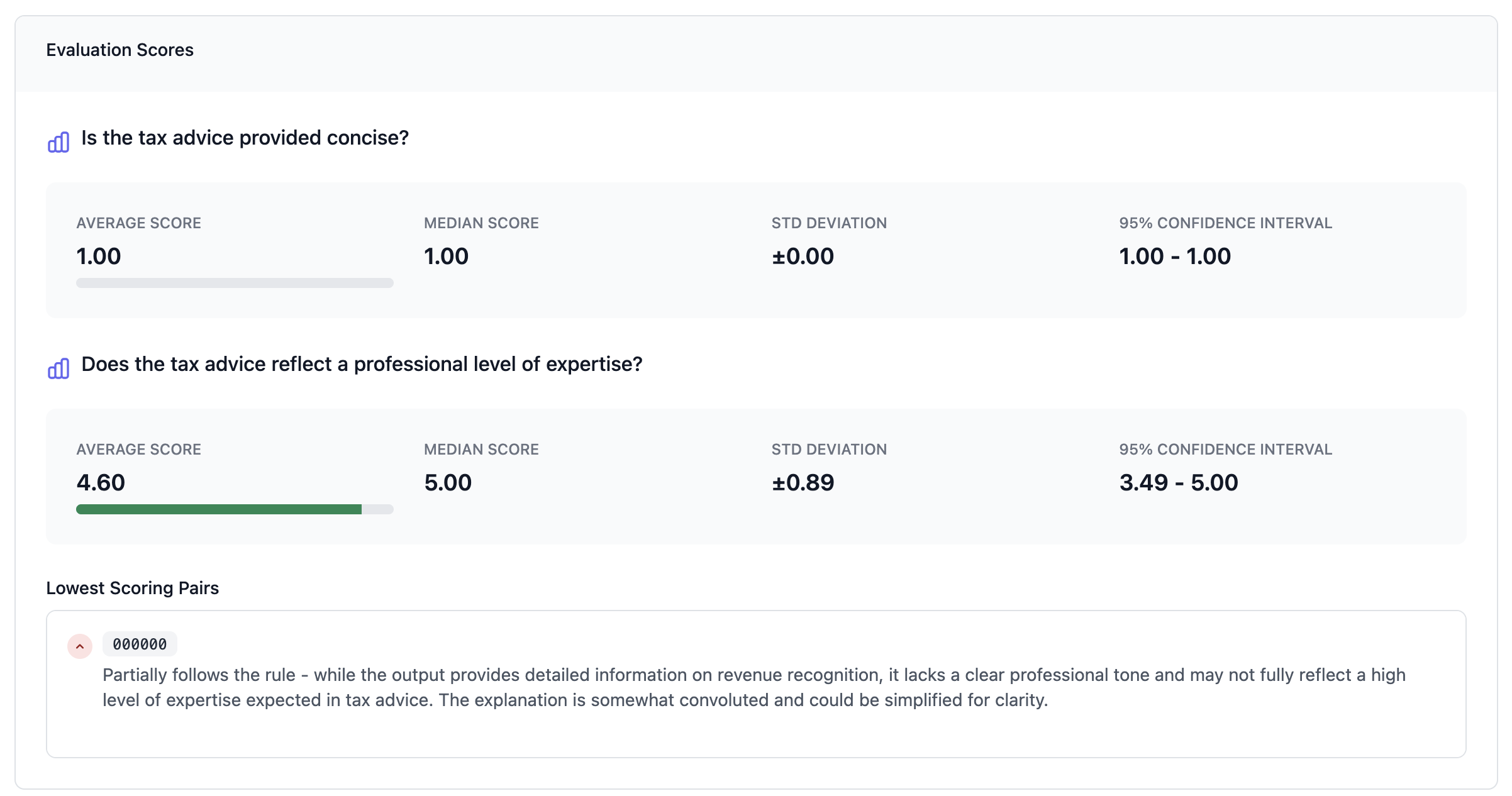
Fine-tuning workflow
Generate synthetic data driven by the evaluation scores
Now that you have evaluations tailored to your preferences, you may want to fine-tune your LLM. Providers such as OpenAI and Anthropic allow you to fine-tune models based on a dataset of positive examples you upload to their platform. Plum AI can leverage your evaluation results and provide you with the exact right data to fine-tune a model. Choose the size of synthetic dataset you want to generate from your initial seed dataset. For reference, fine-tuning a model requires around at least 100 examples. Click the “Generate” button to generate synthetic data based on evaluation scores.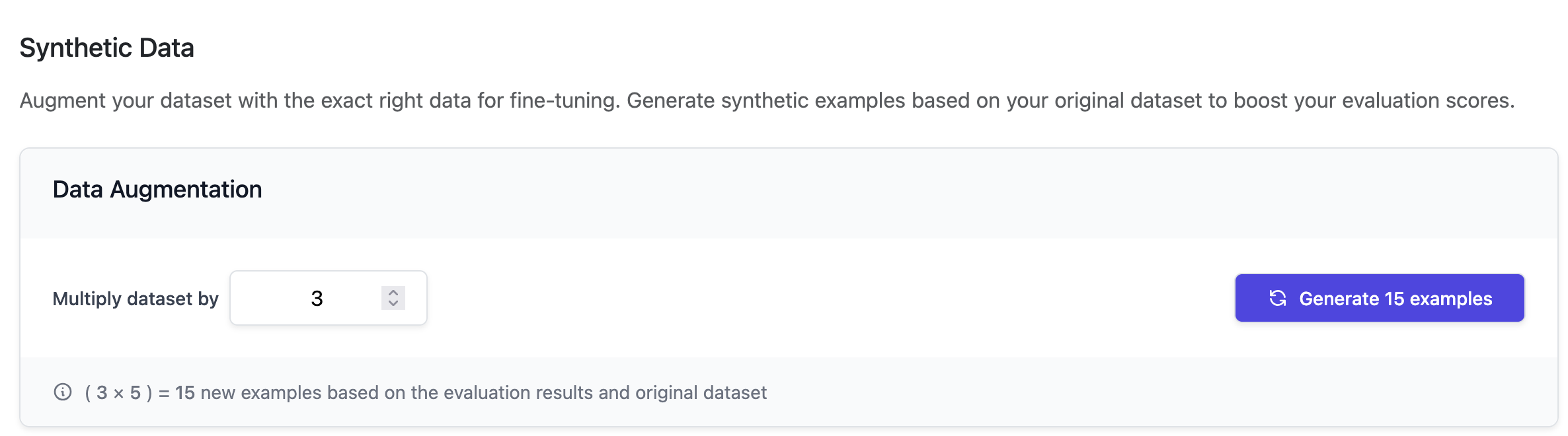

Upload the synthetic data to a major LLM provider like OpenAI’s fine-tuning API
Once you have atrain.jsonl from Step 5, you could optionally create another file, validation.jsonl, using real heldout data that you haven’t used in the seed dataset.
- Go to the OpenAI fine-tuning page: https://platform.openai.com/finetune
- Click “Create”.
- Upload new training data.